Finding the Best Place for your Desktop PC
There’s a lot of talk about the best places to use your laptop, but here at New Ross PC Repairs, we want to focus on where it’s best to put your desktop PC.
First, why does it even matter? Of course, you care how your workstation looks, but beyond the aesthetics, airflow is important too. Computers cool themselves with fans to suck in cool air and expel hot air out the back or top. If you’re not leaving room for the computer to “breath” it can overheat.
When a computer overheats it can become unstable or suddenly shut down. The hot air can also damage internal components. This is true of both laptops and desktops.
That’s why you’ll hear that it’s a good idea to put your laptop on a raised, slatted service where air can reach the vents. A table over a furnace duct or in direct sunlight should be avoided too.
OK, But Where Do I Put My PC?
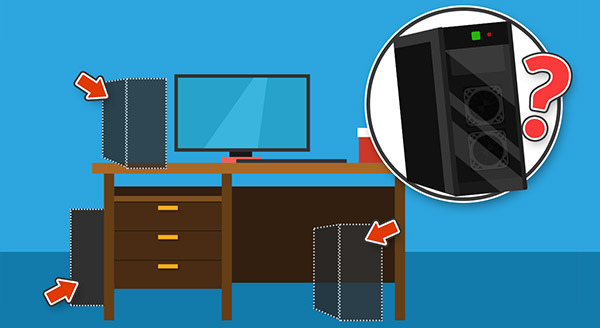
You don’t want to put your computer somewhere it is going to get dusty, which is a good reason not to put it on the floor. It’s exposed to more dust, hair, and other junk that way. Since the computer’s fans are sucking in cool air, they can suck in debris too.
Also, on the floor, you risk accidentally hitting or kicking the PC. Sudden jolts are bad for mechanical hard drives. Plus, USB drives or anything else plugged into the front could be knocked out, which damages the port.
Some desks have built-in cabinets for your computer, but we often see PCs overheat in these spaces because they simply weren’t designed with enough airflow.
It’s best to set up your computer on a stable surface to avoid any bumps or drops. You also want to position it so that the cord is not going to create a tripping hazard. If you fall, you could damage the power connection or, worse, knock the computer off your table or desk.
Since, the big thing is airflow, you also don’t want to set the PC too close to the wall. This can damage cables in the back if they bend too much. Or, when the hot air exhausts out the back, it will be harder to expel the heated air.
Securing Your Desktop PC
Putting your PC parallel to the monitor, safely stable on your desk or table, with good airflow and room for the cords is your best option for safety and longevity of your desktop computer.
Need help setting up your desktop PC or finding the best place to position it in your home? Our tech experts at New Ross PC Repairs are available to help across Wexford & Waterford. Contact us today at 087-099-1266!