5 Signs Your Computer is Crying Out for Repair
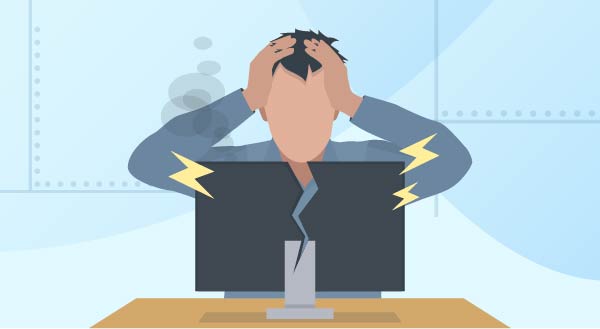
It’s pretty obvious when your computer is already broken, but how do you know when it’s about to break? Even before it falls into a heap and refuses to turn on, or flashes big messages about how your files are now encrypted, you’ll be given multiple hints that something is wrong. Here are the common signs your computer needs repair, sooner rather than later.
1. It’s running slow.
Most people assume their computer is running slow because it’s getting older, but it could actually be a variety of reasons. A program behaving badly, a virus, overheating or even a failing storage drive can all cause a massive slow down. You might only notice it when booting up or starting a program, or the problem may have taken hold to the extent that even moving your mouse becomes torture. Sometimes the slow speed is simply due to some newer software that your hardware can’t keep up with.
2. Your system is running hot.
A very common sign with laptops, running hot can be both the sign and cause of damage. Computers have fans to blow out hot air so they can cool off their internal components. At the same time, fresh air is drawn in through vents to create an effective cooling system. Unfortunately, just about every vent in a computer can quickly become clogged with dust and pet fur, essentially choking off the circulation and leaving components to overheat. Desktop computers have more space inside to circulate air, but you’ll still need to keep their vents clear. You’ll know your computer running too hot if your system shuts down frequently (safety cutout), the fan is working serious overtime, or your laptop is too hot to use on your lap.
3. Blue Screens of Death are everywhere.
A classic Windows error, this is quite literally a blue screen that covers your view. The system will still be running, but something has gone wrong. You’ll be shown some text and an error code, often with Windows suggesting a restart. If a restart fixes your problem, perhaps something didn’t load properly at bootup and your computer had a whoopsie. It’s rare, but it happens. If you’re getting blue screens all the time though, that’s a sign a hardware or software problem needs to be resolved. Your computer will continue to give blue screen errors more and more frequently, so it’s best to take action as soon as you know something’s wrong.
4. It’s making strange noises.
Most modern computers use solid-state drives and should be almost completely silent apart from a gentle fan hum. When your computer starts making loud or harsh noises, pay attention. Cooling fans can wear out and start screeching or grinding. If you have an older mechanical hard drive or a desktop storage drive, a repetitive “clicking” sound means the drive is actively dying and your data is at severe risk. In emergency cases, you might even hear a crackling or zapping noise from a failing power supply. Whenever you notice a strange new noise, turn the machine off and get it checked.
5. It crashes and freezes.
If your computer is crashing randomly, restarting without you, or freezing up completely, it’s a sure sign there’s a problem. As annoying as it might be, your computer isn’t doing this to drive you crazy – it just feels that way! You might notice it’s showing other signs from this list too because crashing and freezing are what happens when something isn’t just wrong, it’s terribly wrong. The problem could be almost anything, hardware and software both, but it’s always fixable. This is simply your computer’s final way of crying out for repair, desperately trying to get your attention and a little TLC.
Is your computer showing any of these warning signs? Don’t wait for it to die completely and take your files with it. Call New Ross PC Repairs today at at 087-099-1266 to get it sorted.