
5 Ways to Love Your Laptop (and Make It Last Longer)

Laptop computers are one of the most fragile pieces of tech you’ll ever buy, but they also receive the roughest treatment. Extend your laptop’s life with these five easy tips.
Avoid rough handling:
Most modern laptops now use solid-state drives (SSDs) with no moving parts to scratch, which is great for your data. However, the laptop’s plastic frame and screen hinges are still incredibly fragile. Picking up your laptop by the screen, dropping your bag heavily, or tossing it onto the couch puts severe stress on the casing. To prevent snapped hinges, loose internal cables, or cracked screens, always open the lid from the center with two hands, and carry the machine gently.
Keep it cool:
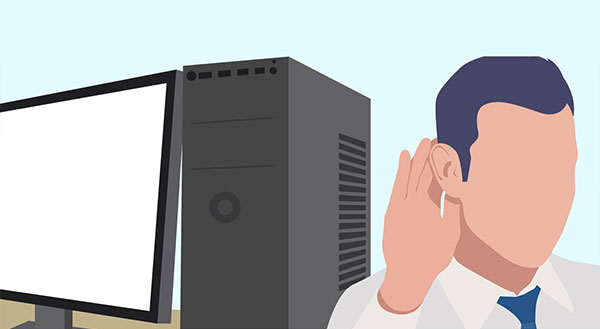
Your laptop has 2 sure ways of telling you when it’s too hot – the fan and auto-shut off. Each component in your laptop is generating heat, and the harder it’s working, the more heat each creates. The fan runs to blow that heat out the vent and keep the components cool enough to continue operating. Because there’s no clear temperature indicator, your fan volume is the best guide to monitoring laptop heat. While the laptop is working hard (and getting hot), the fan will spin faster and louder. It’s not uncommon for it to sound like a hair dryer at times! Help it out by keeping your fan vent clear of books, blankets, and other blockages.
Respect the cords:
Inside those robust looking power cords are a bunch of delicate wires, begging you to be gentle. You’d think they should be able to take a beating, get bent, twisted and run over with chair wheels, but unfortunately not. Keep cords clear of sharp or flat-edged items, and when wrapping for transport try to mimic how it came out of the box. Wrap the cord gently around itself or the power adapter and secure with Velcro or similar.
Carry it in padded style:
Look for a bag that not only fits your laptop but also provides padding. Your system will endure countless bumps and bangs as the bag is moved around, even with careful use. Ideally your bag has bottom, side AND top padding, as well as a waterproof outer. If backpacks aren’t your style, look for padded or hard-shelled sleeves.
Back it up:
Laptops give us fantastic mobility but as mentioned above they’re quite fragile. While a backup won’t make your laptop components last longer, it will make minor repairs that much easier. You’re more likely to take it in for a service if your data is accessible elsewhere, and of course, in the event of accident or theft, you’re fully prepared. Consider an off-site backup for additional protection, so no matter what happens with your laptop you still have your important files.
Want to make sure your machine lasts as long as possible? Call Chris at New Ross PC Repairs on 087-099-1266 to book a life-extending service and internal clean-out today.