Why Do Computers Break?

We know computers always break at the worst possible time, but what exactly prompts that failure? It’s easy to think it was something you did since you were using it at the time, but while your online gaming frenzy might cause a temporary crash, normal user actions are rarely the cause of a broken computer.
Physical Damage
Accidents happen, but they don’t always mean you need to buy a new computer. As an electrical item, liquid spills are a big problem. This could be anywhere from a spill on the keyboard, going overboard with the screen cleaning spray or even a flood that reaches the computer. Laptop users need to be especially careful when choosing their work surface, as cafes and kitchen tables often have small puddles left behind. If you’re lucky and the liquid didn’t fry the circuits, ongoing corrosion is still likely, as is stickiness to gum up the internal parts. Similarly, a dropped computer isn’t going to be happy, nor is one that’s been knocked around. Even a light thump of frustration can cause loose cables, disconnections and internal damage.
Age
Computer parts have an expected lifetime, especially moving parts like cooling fans, or even solid-state drives (SSDs) which have a physical limit on how much data can be written to them over years of use. Some computers can run 24/7 for up to a decade, while others can be barely used but fail within warranty. When age is the issue there are usually early warning signs like extra noise or slowing down, but the actual ‘break’ generally happens when you go to turn the computer on, perhaps after a crash or overnight – either it makes a valiant effort before giving up, or nothing happens at all. Sometimes lasting age is the luck of the draw with how it was manufactured, and quality does play a big part in how long it can keep churning.
Power Surges
We like to think electricity is a constant stream that never varies, but computers are particularly sensitive to both surges (too much electricity) and brownouts (not enough electricity). You might notice the lights dimming or flickering during a brownout, or glowing just a tad too strong during a surge. These variations never last long, and they’re not something you can control unless it’s just your house (it’s worth checking with your neighbors), but they can easily break your computer. A surge protector can guard against mild increases in voltage, but brownouts and strong surges will still cause damage.
Heat
Overheating is a big contributor to premature computer death. Some computer parts run hot and need plenty of cooling to keep them working. You might not feel it from the outside, but internal components can rapidly build up heat that needs to go somewhere. When your airflow vents get blocked with dust or pet hair, the temperature continues to increase until components literally bake themselves to failure. At set temperatures, the computer will automatically switch off to try and cool down, however the more often this happens and the higher the temps, the more likely your computer is to die.
Storage Drive Failure
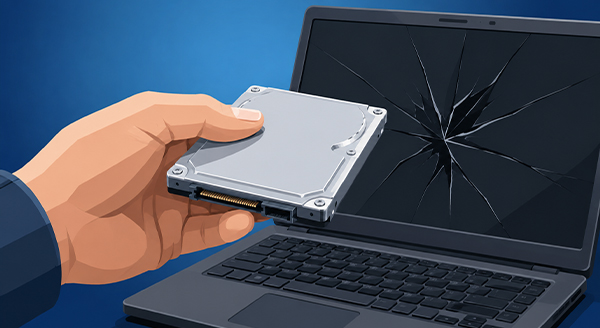
Your data is stored on your computer’s internal drive. While older laptops used delicate mechanical hard drives with spinning disks, almost all modern systems now use highly integrated Solid State Drives (SSDs). Unfortunately, both can fail. Small bumps, liquid spills, power surges, and extreme heat can instantly kill an SSD, while age simply wears out their memory chips over time. Along with making your computer unusable, a dead drive means your photos and documents are lost. Take note of any repeated crashes, blue screens, or missing files, and always back up your data in advance.
Like a car, your computer needs regular servicing to stay reliable. At New Ross PC Repairs, we can run a full hardware and software diagnostic to make sure your machine is running perfectly. Don’t wait for a total breakdown—call Chris today at 087-099-1266 to book a service.